


Animation Maker - Spin Art Fun
3.952.00 Reviews
App Specs
- Version
- 1.5.6
- Updated On
- License
- Free
- Downloads
- 500,000+
- Developer
- Neli Creative
- Categories
- Art & Design
- Platform
- Android
Screenshots
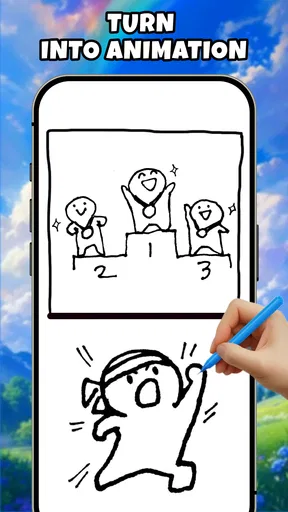
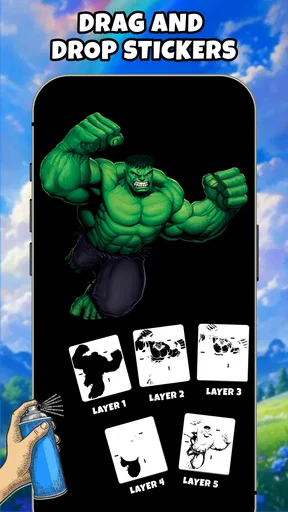
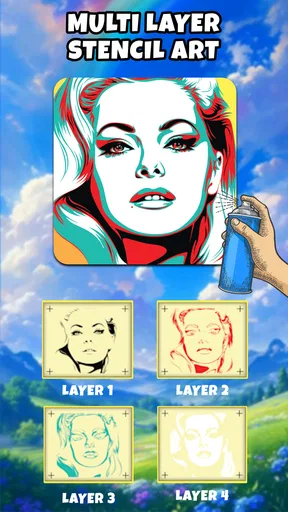
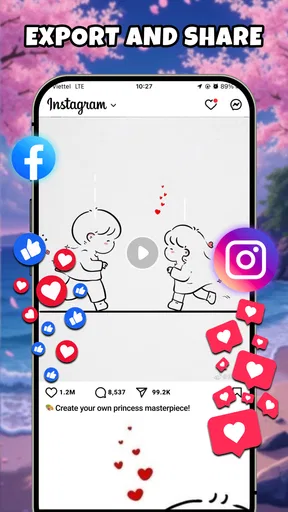
 Analysis by AppCompare
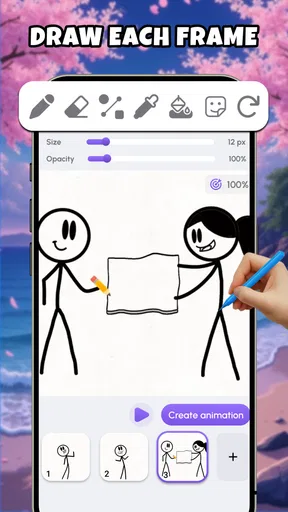
I opened Animation Maker - Spin Art Fun expecting a lightweight drawing tool, but its appeal is more specific than that. It is an art app built around turning simple sketches into motion, with a playful mix of animation, magic-wheel artwork, and stickman flipbook ideas. I found it most interesting when I stopped treating it like a full illustration studio and used it as a quick bridge between a rough thought and something moving on screen.
That distinction matters. If you want a polished digital painting app with deep brush controls, layers, or professional export tools, this is not the first app I would choose. If you want to experiment with movement without learning a complicated timeline, it has a much friendlier starting point. The app is free, aimed at Everyone, and belongs to the Art & Design category. In my experience, the best results come from keeping the drawings simple and concentrating on timing, repetition, and visual rhythm.
From a rough idea to a moving sketch
I start this section by setting expectations: the app is best approached as a quick way to test a visual thought, not as a demanding illustration workspace. That makes the first few minutes useful for seeing whether its sketch-and-motion approach suits you. Next, I’ll look at what changes when a small experiment grows into a more involved drawing session.
Beginning with the right kind of project
The easiest way to enjoy this app is to begin with a small visual problem. I might sketch a stick figure waving, a ball changing direction, or a shape that grows and shrinks. These are deliberately modest subjects, but they reveal whether the drawing feels alive. Starting with a complicated character usually creates more work than the app’s quick-drawing approach is designed to handle.
I also found that the app suits people who think with their hands. A paper sketch can communicate an idea, but a short animated version immediately shows whether the gesture reads clearly. That makes it useful for a student planning a presentation, a parent making a playful visual for a child, or anyone who wants to test a small creative idea without opening a desktop animation package.
The title’s focus on spin art is another reason to approach it experimentally. Instead of worrying about perfect line work, I can explore what happens when a simple mark is repeated, rotated, or arranged into a more decorative pattern. The result feels closer to visual play than to formal illustration, and that is a strength when I want a quick creative break.
Drawing in stages rather than chasing perfection
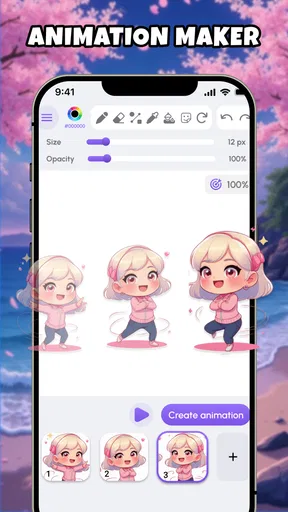
My most reliable workflow is to make the first drawing intentionally plain. I use a recognizable outline, leave enough space around it, and then treat later frames as small changes rather than completely new pictures. A waving arm only needs to move slightly from one frame to the next. If every frame changes too much, the motion becomes jumpy and the original idea gets lost.
Worth Reading Before You Choose

EA SPORTS FC Mobile 26 Is a Bigger Football Game, but It Takes Time

Flipboard Shows What News Apps Must Do Beyond the Feed

Switching to Android Auto Means Rethinking Your Driving Routine

Google Calendar Makes a Crowded Week Easier to Manage

Ludo King Makes the Most of the Minutes Between Plans

Baby Panda World Brings Quick Play to Modern Phones, but Its Game Library Feels Busy
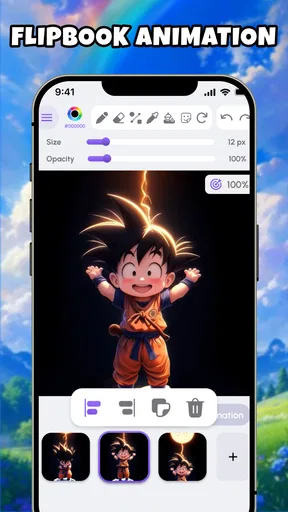
This is where the flipbook approach becomes useful. It encourages me to think in poses: a beginning position, a middle position, and an ending position. Once those are clear, the in-between drawings are easier to understand. The app is especially approachable for beginners because the concept is visual and immediate; I do not need to understand animation terminology before seeing the effect.
A practical tip is to save the strongest version of a drawing before adding decorative details. A clean stick figure with readable movement is more successful than a busy frame where the action disappears into extra marks. I also prefer to repeat a pose briefly when I want emphasis. Holding a starting position can make a gesture feel deliberate instead of rushed.
Using the magic-wheel idea for visual variation
The magic-wheel side of the experience gives the app a different personality from a straightforward flipbook tool. I can treat a small drawing as a source for repetition and variation, creating a pattern that feels more ornamental than narrative. This is a good place to try bold shapes, uneven marks, and color choices that might not work in a conventional character animation.
The trade-off is control. A playful wheel-based result can be satisfying because it changes a simple sketch into something unexpected, but it is not the same as carefully positioning every element in a professional design program. I see this feature as a discovery tool: it helps me generate visual ideas, then I can decide whether one of those ideas deserves a more carefully drawn version elsewhere.
For an everyday example, imagine a child drawing a basic star after school and wanting to turn it into something animated. Rather than asking the child to learn a complex interface, I would use the star as the starting shape, try a few repeated arrangements, and let the movement provide the surprise. The outcome may not be a finished project for printing, but it can be a memorable little creation to show family members.
Checking the animation before calling it finished
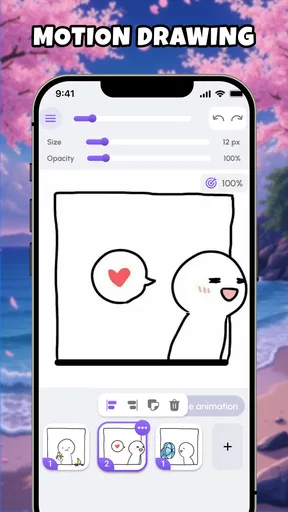
Playback is the moment when the app’s simple workflow proves its value. A drawing that looks fine as a still image can behave badly once frames are shown in sequence. I look for three things: whether the main action is easy to read, whether the motion has a clear beginning and end, and whether any frame distracts from the idea.
When an animation feels too abrupt, I do not immediately redraw everything. I first simplify the movement. For instance, a stick figure jumping can work better if the body stays consistent while the legs and arms change. This reduces visual noise and makes the motion easier to follow. The app rewards that kind of restraint more than detailed shading or elaborate scenery.
I also recommend testing a project at its natural speed several times instead of judging it from a single preview. Small timing problems become obvious through repetition. If a pose flashes by, it may need to be repeated; if the animation feels stalled, removing an unnecessary pause can help. These decisions are basic, but they are exactly the kind of practical lessons that make a beginner more confident.
Moving the idea beyond the app
The handoff from drawing to sharing is where expectations need to stay realistic. I would use this app to create a quick visual result, then decide what the result is for. A casual animation can be shown directly from the phone, used as a reference for a larger artwork, or passed to someone who wants to recreate the concept in another tool.
That makes the app a good first step in a creative workflow rather than a complete production environment. A student might sketch a moving logo idea here before rebuilding it in a design application. A hobby animator might test a character’s gesture before investing time in a more advanced editor. Someone creating social content may enjoy the fast experimentation, but should choose another tool when precise output settings and extensive editing controls become important.
I would also keep the original sketching process in mind. The strongest handoff is not always a finished animation; sometimes it is a clear idea. A rough movement test can show a collaborator how a character should enter a scene, how a symbol might rotate, or which pose deserves more attention. In that role, the app saves time because it makes an abstract suggestion easier to see.
What the finished result feels like
The final result is most rewarding when I judge it by clarity and charm rather than technical polish. A tiny animation with a readable gesture can feel complete even if the lines are rough. The spin-art experiments offer a different kind of satisfaction, especially when repetition turns an ordinary sketch into a pattern with energy.
I would describe the visual character as playful and accessible. It is not trying to replace every drawing and animation tool on a phone. Instead, it lowers the barrier between “I have an idea” and “I can see that idea moving.” That is a meaningful benefit for beginners, children with supervision appropriate to their situation, casual artists, and people who enjoy visual experimentation without a long setup.
The app’s current version is 1.5.6, and it runs on devices using Android 9 or later. Its presence on Android is relevant because this kind of quick sketching works best when the app is available on the phone or tablet I already carry. I would still consider the screen size: a larger display gives more room for drawing, while a small phone screen can make precise marks less comfortable.
Where the workflow starts to break
The first limitation is precision. Simple drawing can be liberating, but it also means that users looking for detailed control may feel restricted. If my goal is frame-by-frame character animation with carefully managed layers, complex backgrounds, or extensive correction, I would move to a more advanced animation program. This app is better at immediate experimentation than at managing a large production.
The second limitation is the risk of repetitive results. The magic-wheel concept can produce attractive patterns quickly, but relying on the same kind of repetition may make several creations feel alike. I get better variety when I change the source sketch, vary the scale of the main shape, and alternate between decorative experiments and simple movement studies.
There is also a creative limitation that comes from the app’s approachable design: it may encourage me to finish too quickly. Because a result appears with relatively little preparation, I can mistake completion for refinement. For a personal doodle, that is perfectly fine. For a presentation, portfolio piece, or carefully branded illustration, I would treat the output as a draft and continue the work in a more specialized app.
Users may also wonder whether it is suitable for serious animation practice. My answer is yes, within a narrow scope. It teaches useful fundamentals such as pose changes, visual timing, repetition, and the importance of a clear silhouette. It does not replace a structured animation course or a deeper timeline-based tool, but it can be an encouraging first environment because the feedback is immediate.
Another sensible question is whether it works for someone who cannot draw well. I think it does, provided the person accepts a sketchy style. Stick figures, symbols, arrows, and geometric forms are enough to explore movement. In fact, limited drawing ability can become an advantage here because the app’s appeal depends more on the idea and its motion than on realistic rendering.
The app has reached over half a million installs, which suggests that its quick creative format has found a substantial audience. Its average rating is 3.9 from around eight hundred ratings, a level I read as encouraging but not universally perfect. That matches my experience: the concept is enjoyable when it fits the project, while users expecting a full professional art suite may naturally want more control.
Who should try it, and who should pass
I would recommend it to a beginner who wants to understand animation by doing, rather than by reading a long manual. It is also a good match for casual artists, classroom-style creative exercises, quick visual jokes, and anyone who likes turning a simple mark into a moving or repeating design. Since it is free, trying the workflow does not require committing money before deciding whether the style suits you.
I would be more cautious about recommending it to a professional illustrator, motion designer, or animator who already depends on detailed editing. Those users may find the lightweight approach too narrow, particularly when a project needs precise composition, complex scene management, or a polished delivery workflow. A traditional drawing app is a better choice for painting and illustration; a dedicated animation editor is better for larger sequences.
For me, the best use is as a creative launchpad. I can begin with a rough thought, give it a little movement, discover which part works, and then either share the playful result or carry the idea into another tool. That complete path—from input, through small revisions and playback, to a visible outcome—is where the app earns its place.
My recommendation is to treat Animation Maker - Spin Art Fun as a sketchbook that moves. It is not the deepest option in mobile art, and its simplicity creates real limits when precision matters. But when I want an approachable way to test gestures, build a flipbook-style idea, or make a repeating design from a basic drawing, it removes enough friction to keep me creating. For the right user, that immediacy is more valuable than a long list of advanced controls.
Pros
- Simple controls make it accessible for children and beginners.
- Spin-based drawing creates colorful
- unpredictable artwork quickly.
- Supports creative experimentation without requiring artistic skills.
- Finished designs can be saved for sharing or later viewing.
- Relaxing gameplay is suitable for short
- casual sessions.
Cons
- The creative options may feel limited for experienced digital artists.
- Some features or artwork tools may require in-app purchases.
- Random patterns can make precise designs difficult to create.
- The app may become repetitive after the initial novelty wears off.
- Ads may interrupt the experience
- depending on the version used.
FAQs for Animation Maker - Spin Art Fun
What is Animation Maker - Spin Art Fun?
Animation Maker - Spin Art Fun is a creative drawing and animation app built around colorful spin-art effects. After choosing colors and adjusting the spinning canvas or design settings, you can create abstract patterns, animated artwork, and visually engaging compositions. It is aimed at casual users, children, and anyone who enjoys experimenting with colors without needing advanced drawing or animation skills.
Is Animation Maker - Spin Art Fun suitable for children?
The app is generally easy for children to explore because its main concept relies on tapping, selecting colors, and watching patterns develop through movement. However, parents should review the app’s age rating, advertising, in-app purchase options, and privacy information before allowing unsupervised use. Younger children may also benefit from guidance when saving, sharing, or interacting with external links.
Can I save or share the animations I create?
Animation Maker - Spin Art Fun is designed to let users enjoy and preserve their creative results, although the exact saving and sharing options may depend on the version installed and the device platform. Before creating a large project, check whether the app supports exporting images, videos, or animated files. Sharing may also open the standard Android or iOS share menu.
Does Animation Maker - Spin Art Fun require an internet connection?
The core creative experience may work without a constant internet connection, especially when you are simply making spin-art designs on your device. Nevertheless, internet access can be required for downloading the app, displaying advertisements, restoring purchases, accessing certain online features, or sharing creations. Availability of offline tools can vary between updates, so test the app before relying on it offline.
Is Animation Maker - Spin Art Fun free to download and use?
The app may be available as a free download, but users should check its store listing carefully for advertisements, optional purchases, subscriptions, or locked creative features. Free access does not always mean that every tool or export option is included. We recommend reviewing the purchase details and privacy permissions before downloading, particularly if the application will be used by a child.


